Templates Guides
Field Service Report Templates: Free PDF Download
 Construction
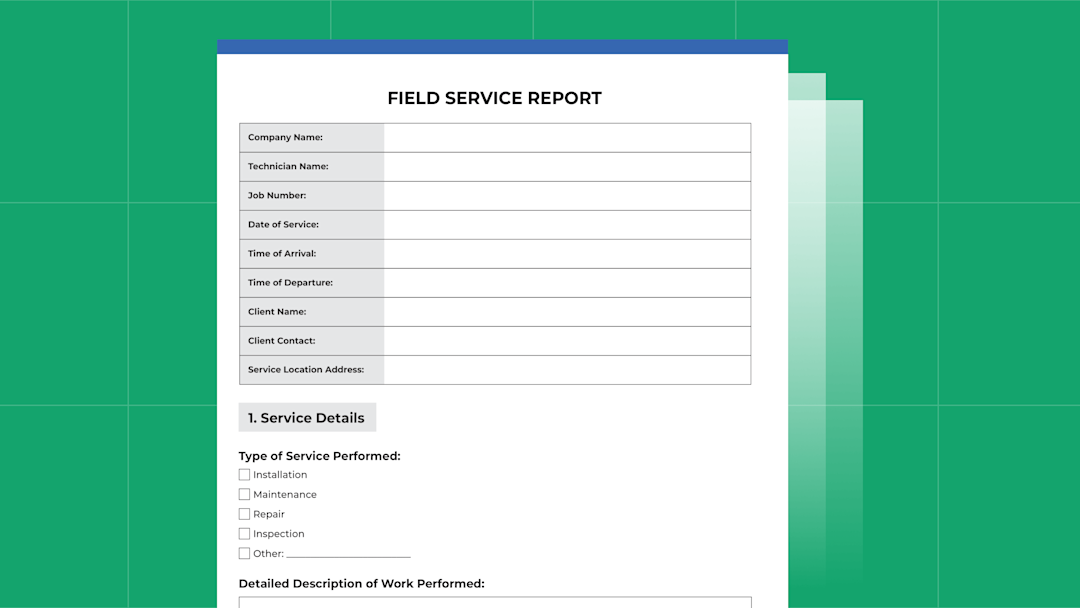

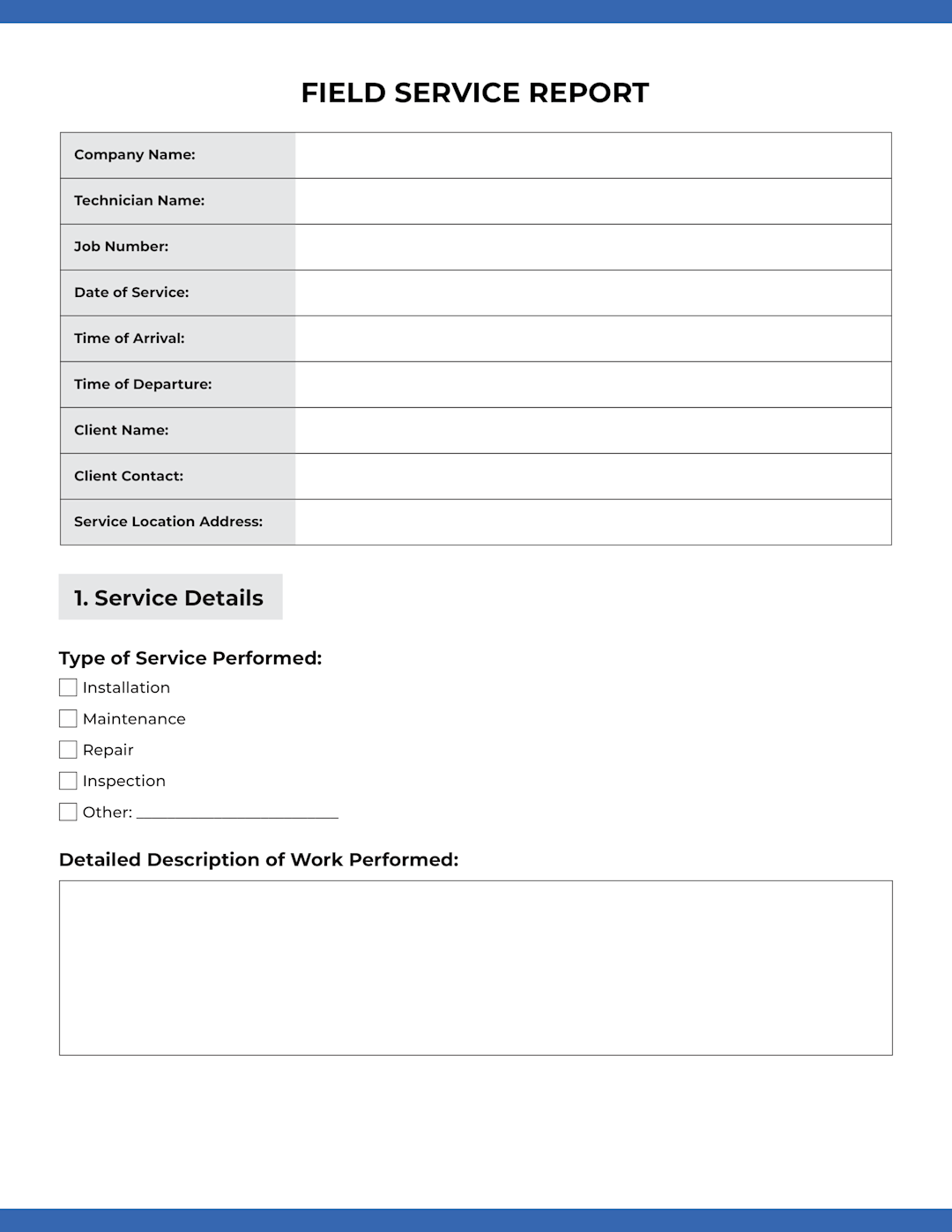
To help field technicians document service visits, we’re offering a free field service report template.
Click here to download our free Field Service Report template.
What’s Included in the Field Service Report Form
General Information
Company Name
Technician Name
Job Number
Date of Service Appointment
Time of Arrival
Time of Departure
Client Name
Client Contact
Service Location Address
Job Details
Type of Service Performed (installation, preventive maintenance, repair, inspection)
Detailed Description of Work Performed
Equipment and Parts/Materials Used
Equipment/Part Name
Model/Part Number
Quantity Used
Work Environment
Indoor
Outdoor
Hazardous Environment
Confined Space
Other (specify)
Issues Encountered
Were there any issues encountered?
If Yes, provide a description
Resolution or Follow-Up Action Required
Client Confirmation
Was the service completed to the client's satisfaction?
Customer Signature
Date
Technician Notes & Observations
Additional notes or observations
Technician Performance Metrics (for Internal Use)
Time spent on job
Breakdown of time spent
Compliance with Company Protocols
Safety procedures followed
PPE worn
Job checklist followed
Supervisor Review & Sign-Off
Supervisor Name
Supervisor Signature
Date of Review
Next Service Schedule (If Applicable)
Next Service Date
Next Service Type
Job Completion Status
Completed
Pending Further Work
Follow-up Scheduled
Additional Parts/Equipment Ordered
Other (specify)
Other Free Field Service Templates
Field Service Estimate Template
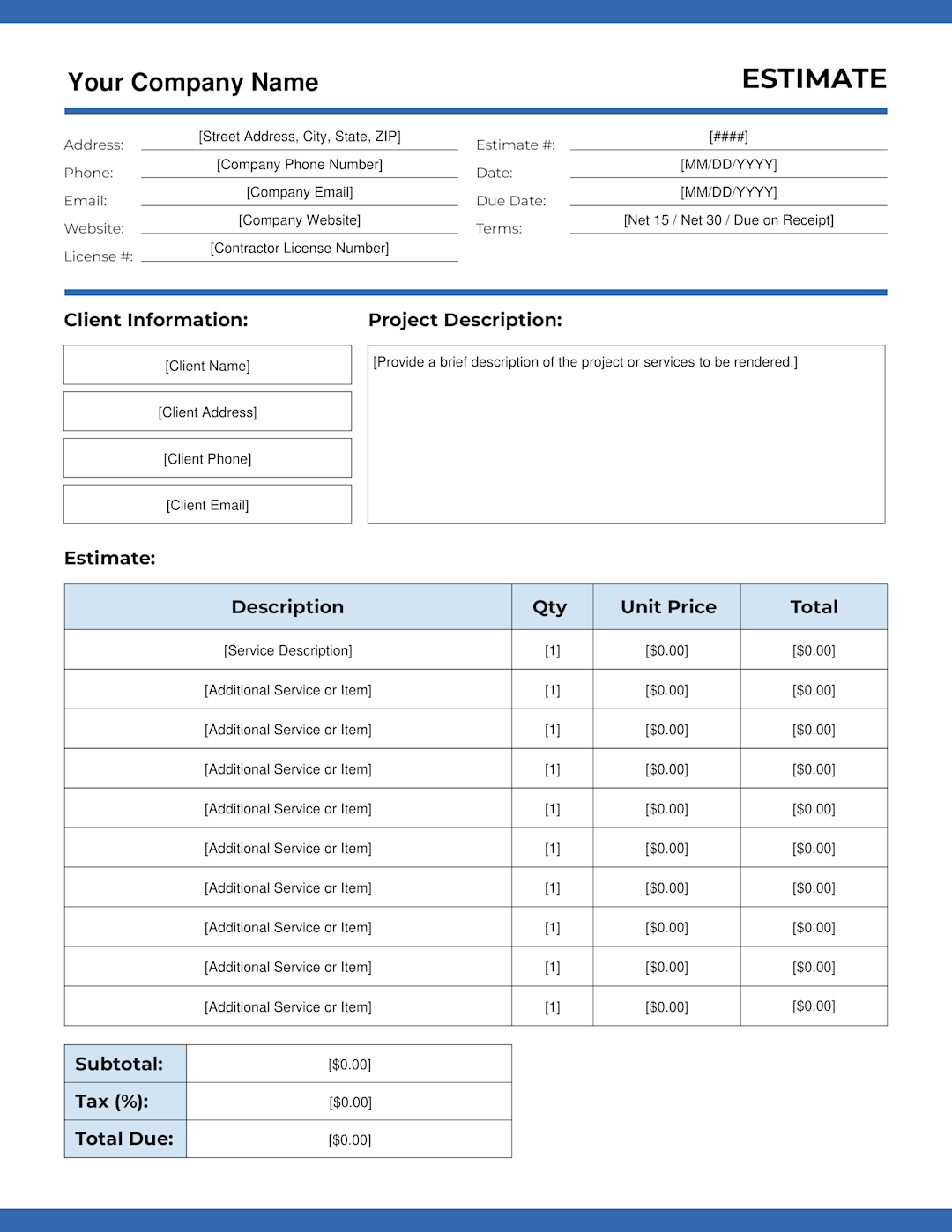
View and download our generic estimate template here.
Field Service Invoice Template
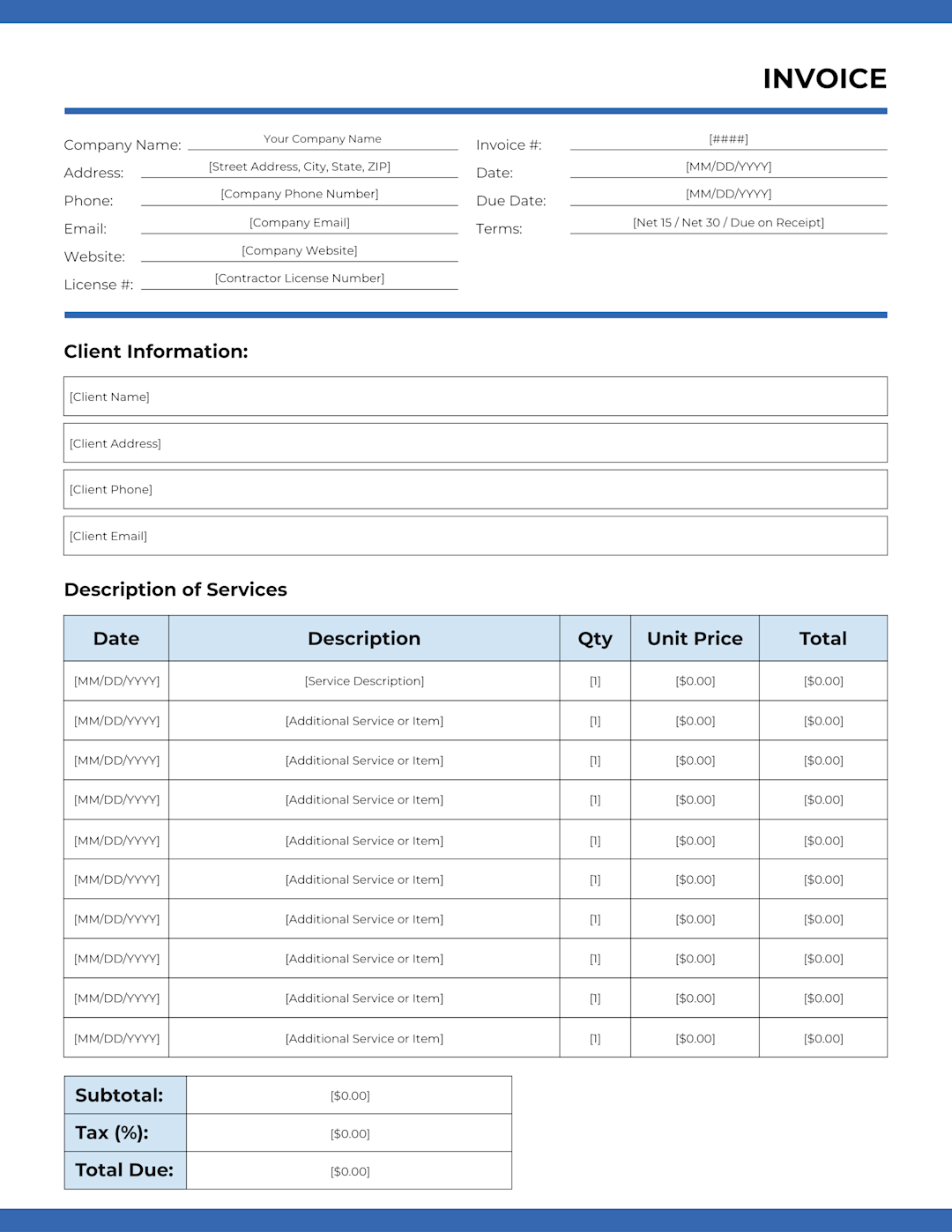
View and download our generic invoice template here.
The Limitations of PDF Field Service Form Templates
A PDF template solves one problem: getting information out of a tech's head and onto paper. That's not nothing. But it stops there, and for a field service operation running more than a handful of techs, that's where the problems start.
1. The Data Stays Trapped in the Document
A completed PDF field service report is a static file. Once it's filled out, emailed in, or dropped in a folder, the information inside it is essentially dead. Nobody can query it. You can't filter by job type, pull a list of recurring issues, or track how long techs are spending on specific work categories without manually digging through documents one by one. If you want to know how many follow-up visits your team completed last month, you're doing that count yourself.
2. PDFs Lack Connection to Other Workflows
A PDF report exists in isolation. The parts used on that job don't automatically update your inventory. The labor hours don't feed into payroll or job costing. The follow-up action items don't create a work order. Someone has to take what's in the document and manually enter it somewhere else, which means it either doesn't happen, happens late, or happens with errors. Every handoff is a failure point.
3. Inability to Attach Photos, Videos, Voice Notes, etc.
A tech standing in front of a corroded unit or a code violation can snap a photo in two seconds. That photo is worth more than a paragraph of written description for the office, the customer, and anyone who touches the job later. But a PDF form has no place to put it. The same goes for video of a system running, audio notes recorded on the drive back, or any other media that would help document what happened on site.
4. Form Completion Depends Entirely on the Tech
PDF forms don't enforce anything. A tech in a hurry can skip the equipment section, leave the client satisfaction field blank, and submit a half-filled form with no friction. Back at the office, someone has to review it, identify what's missing, and chase the tech down. That review cycle takes time, and it happens after the job is closed, when filling in the gaps is guesswork at best.
5. You Have No Real-Time Visibility
With a PDF-based workflow, you find out how a job went when the report comes back, which might be at the end of day, or end of the week, or whenever the tech remembers to send it. If a job ran long, if a customer was unhappy, if a part was used that you need to reorder — none of that surfaces until the paperwork catches up. By then, it's already a problem.
6. Version Control Is a Mess
Templates get updated, emailed around, and saved locally by techs who forget to grab the new version. Over time, you end up with multiple versions of the same form in circulation. Some techs are using last year's template. Others have modified their copy to add fields that made sense to them. When you try to aggregate data or audit compliance, you're working with inconsistent inputs.
7. Storage and Retrieval Don’t Scale
Whether reports are saved as files on a shared drive or physically filed in a cabinet, finding a specific job record six months later is painful. Search doesn't work well on unstructured PDFs. Audit prep, warranty claims, and dispute resolution all require digging.
The #1 newsletter for the trades.
How ServiceTitan Replaces Static Reports with a Connected Field Service Workflow
A PDF field service report template captures information. ServiceTitan’s field service management software captures information and automatically feeds it into subsequent workflows. Every form submission, photo, signature, and time entry feeds directly into the job record, the service history, and your reporting, with no re-keying, no chasing paperwork, and no waiting until the end of day to find out what happened on a job site.
Here's what that looks like in practice.
1. Digital Forms That Techs Are Required to Complete

ServiceTitan lets you build custom digital forms for every type of work your team runs: inspections, maintenance visits, installations, safety checklists, service calls. You can build forms from scratch or start with proven templates from TitanExchange that other contractors have already pressure-tested.
The difference between these and a PDF isn't just that they live on a mobile device. It's that you can set rules around them:
You can require specific forms to be completed before a tech can close out a job.
You can require a digital signature from the customer before the visit counts as finished.
You can make photo documentation mandatory on certain job types.
The form doesn't just sit there waiting to be filled out. It enforces your process.
Field service technicians complete everything on-site through the field mobile app, and each form attaches directly to the job, the customer, and the specific equipment serviced. That means six months from now, when someone needs to pull the inspection report from a PM visit, it's right there in the record. No digging through folders. No guessing which version of which template was used.
2. Photos, Videos, and Annotations Tied Directly to the Job Record

Your techs are already taking photos on-site. The question is where those photos end up. With ServiceTitan, they go straight into the job record alongside the service report, not into a camera roll where they sit until someone remembers to send them.
Techs can capture photos and videos of equipment condition, annotate images to highlight specific issues (corrosion, wear, code violations, damaged components), and attach everything to the relevant customer, location, or asset. That visual documentation travels with the job from field to office in real time. When the office team needs to scope follow-up work, prepare an estimate, or respond to a customer question, the evidence is already there.
This matters more than people realize. A written note that says "unit showing signs of wear" doesn't tell the office much. A photo with an annotation circling a cracked heat exchanger or a corroded pipe fitting tells the whole story. It's the difference between a service provider that documents what happened and one that just checks a box.
3. The Office Sees Real-Time Job Progress

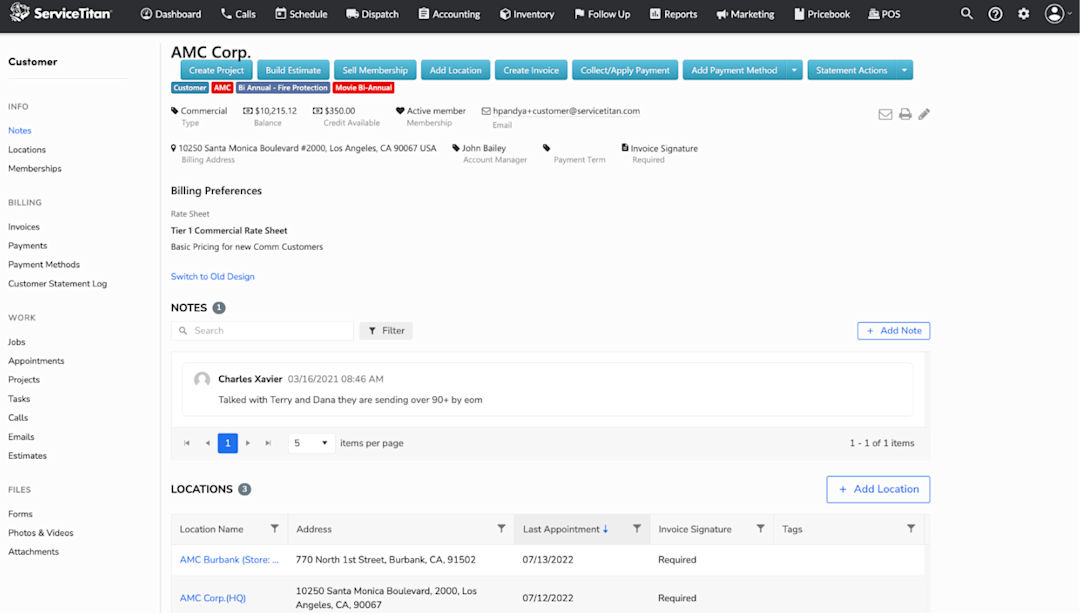
With a PDF-based workflow, the office is always working with a delay. The tech finishes the job, drives to the next one, maybe fills out the report at the end of the day, maybe emails it in the next morning. ServiceTitan eliminates that gap entirely.
As field service technicians submit forms, upload media, capture signatures, and log time from the field, that real-time data flows directly into ServiceTitan's system. Office staff and managers can see job status, review completed checklists, and take action immediately. If a visit surfaces follow-up work, the office can schedule it, build the estimate, and order parts before the tech has even left the property.
This also means the end of duplicate data entry. Completed service reports automatically populate the right customer, job, and equipment records. Hours logged on-site feed into timesheets. Parts used automatically update inventory. Nothing needs to be typed twice, and nothing falls through the cracks waiting for someone to transfer information from a PDF into your CRM, your accounting system, or a spreadsheet.
4. Billing and Invoicing Flow Straight From Completed Jobs

One of the quieter costs of PDF-based reporting is what happens after the job is done. Someone in the office has to look at the report, figure out what was performed, cross-reference parts and labor, build an invoice manually, and get it into your accounting system. That's time, and it's where billing errors and delays creep in.
ServiceTitan generates invoices directly from the job record. The work performed, parts used, labor hours, and any applicable rates or pricing are already captured during the job, so the invoice builds itself from data your techs already entered in the field. No one is re-keying line items from a PDF into a separate billing system.
For contractors running service agreements, the billing terms, cadence, and contract pricing carry over automatically. Deferred and straight-line revenue recognition are both supported, so your accounting team doesn't have to manage that manually either. But even on standalone service calls and one-off repairs, the same automation applies. The invoice is accurate because it's pulling from the actual job data, not from someone's interpretation of a handwritten report.
Customers can review and pay through a self-serve portal, which speeds up collections without adding follow-up work for your office staff. And because every invoice ties back to a job record with full documentation (forms, photos, signatures, time logs), disputes are easier to resolve. The proof is already attached.
Your accounting team gets clean data that flows into their existing workflows. Your customers get invoices faster. And your office stops spending hours a week turning completed jobs into billable events by hand.
5. Automated Reporting Tells You How Your Operation Is Performing

When every service report lives inside a connected system instead of a static file, you can efficiently use that data. ServiceTitan gives you dashboards and reporting tools that pull from completed jobs, forms, time tracking, and customer records to surface your key performance indicators (KPIs):
Tech utilization
Average job duration by service type
Average ticket size
Callback rates
Customer satisfaction trends
Revenue per job category
The data might otherwise exist across hundreds of Google Docs or individual Excel files, but assembling it into anything useful is a manual project every single time. With ServiceTitan, it's already structured, already connected, and available whenever you need it.
That visibility changes how you manage. Instead of reacting to problems after they've already cost you money, you can spot patterns early:
Which team members are consistently running over on time
Which job types are generating the most follow-up work
Which locations have recurring equipment issues
That's field service management built around real operational data, not gut feel.
See These Features in Action. Request a Demo.
A PDF field service report template is a fine starting point. It gives your operation some structure, and if you're running a small crew, it might be all you need right now. But if you're growing, if you're tired of chasing paperwork and re-entering the same data across systems, the template is holding you back more than it's helping.
ServiceTitan replaces that entire workflow with a connected system where every form, photo, signature, time entry, and invoice lives in one place and actually talks to the rest of your operation. Your techs document everything on-site. Your office sees it in real time. Your billing runs from the same data. Nothing gets lost, nothing gets typed twice.
Discover why over 100,000 service professionals trust our platform by scheduling a free one-on-one demo.