Ready to launch your service company’s summer marketing campaigns using ServiceTitan’s Marketing Pro, but feel the process seems a bit too complicated? To break it all down and help you really understand how to target the right audience for your next ad campaign, we brought in a Marketing Pro Jedi to explain the force behind this powerful tool.
Pam Duffy, one of the co-founders at Powerhouse Consulting Group and a ServiceTitan/Marketing Pro certified coach, walks us through how to use Marketing Pro’s Audience Builder during a recent webinar aptly aired on May 4, with Duffy dressed to the hilt in a bright red hooded Jedi cape.
“May the force be with you,” Duffy says, as you discover the powerful functionality behind the Marketing Pro full suite of services, and together let’s create a highly targeted audience and ad campaign with proven results.
“Marketing Pro is not just email, there's a direct mail module to it as well. There's reputation management, and there's also integrations with Ads,” Duffy explains. “The Marketing Pro section of ServiceTitan has a lot of robust functionality. It's a huge suite of services, and a way to use the data you already have to re-market and target your customers.”
» Want to grow your business? Click here to get a demo.
In this webinar recap, you’ll learn:
How one-time and automated campaigns work in Marketing Pro
How to build and launch a “Happy Birthday Equipment” campaign in Marketing Pro
The power of the Audience Builder
Let’s get started.
How to create email campaigns: one-time or automated

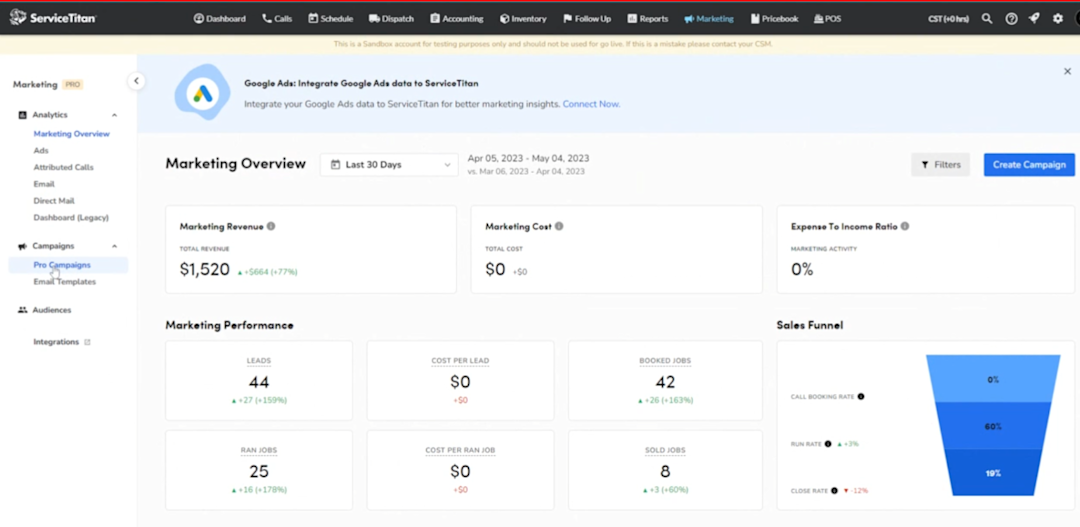
Once you click into your ServiceTitan marketing dashboard (megaphone) and see the marketing overview (image above), go to your left side panel and click “Pro Campaigns.” To create pro campaigns, you must have the full email Marketing Pro suite add-on.
After clicking “Pro Campaigns” in your dashboard, you should see the screen below, which shows all campaigns currently running.

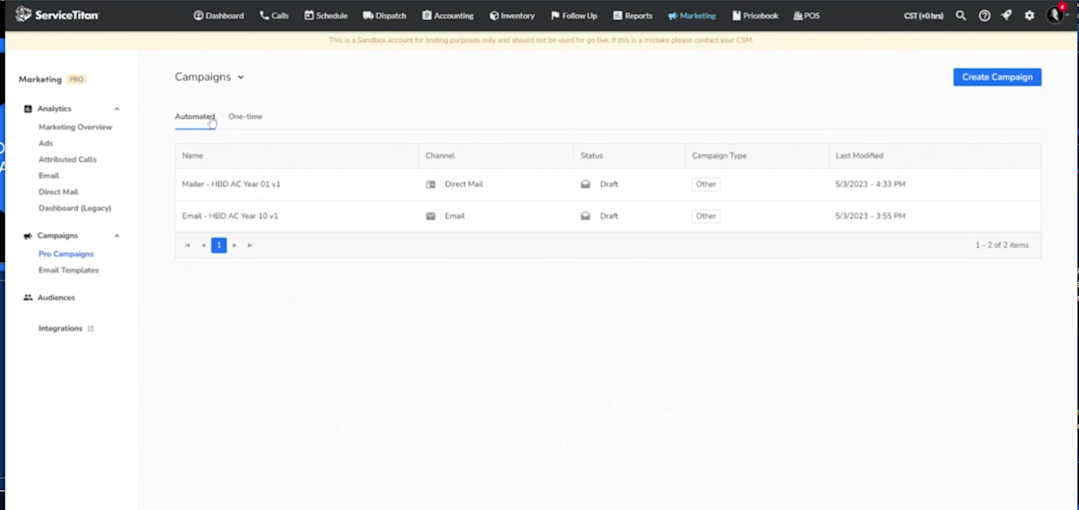
Here, you’ll find tabs for either “automated” or “one-time” campaigns. What’s the difference?
A one-time campaign example might be sending a promotional email for the Memorial Day holiday offering homeowners a discount for an AC tune-up. Other one-time campaign examples might be emailing a monthly newsletter or some other limited-time offer.
Duffy suggests thinking of the “3 Ws” for a one-time campaign: Who? What? When?
“For a one-time campaign, ‘the who’ is a fixed audience,” she explains. “‘The what’ is the content, so that would be the holiday offer or the newsletter. And then ‘the when.’ When you're doing a one-time campaign, you’re sending it on a specific date or a specific set of dates.”
The #1 newsletter for the trades.
For automated campaigns, the data you use changes dynamically as you run each campaign. Based on whatever audience criteria you set, customers may fall in and out of that criteria as their data in ServiceTitan changes. For instance, you might create an automated campaign to wish customers a “Happy 1st Birthday” one year after an HVAC system installation. Every time a new customer reaches that one-year mark, they receive the automated email.
While the content for ads may be similar, an automated email campaign may go out dynamically every day as new customers meet your audience criteria.
“Any automated email could go out every single day of the week as long as people are falling into the criteria to be sent the email,” Duffy says. “With automated emails, it's best in your brain to think those are going out daily until you stop them.”
Just remember, the broader you make your audience for an automated campaign, the broader you need to make your content. The more targeted you make your audience, the more targeted you can make your content.
“So we can build a happy first birthday email content or we can build a generic happy birthday with no first birthday, second birthday, or third birthday,” Duffy says.
How to build and launch a “Happy Birthday Equipment” campaign in Marketing Pro
To build a Marketing Pro campaign from scratch, start by clicking the blue button in the top right corner, “Create Campaign.” You’ll see the pop-up screen below that asks, “What category of campaign would you like to create?”
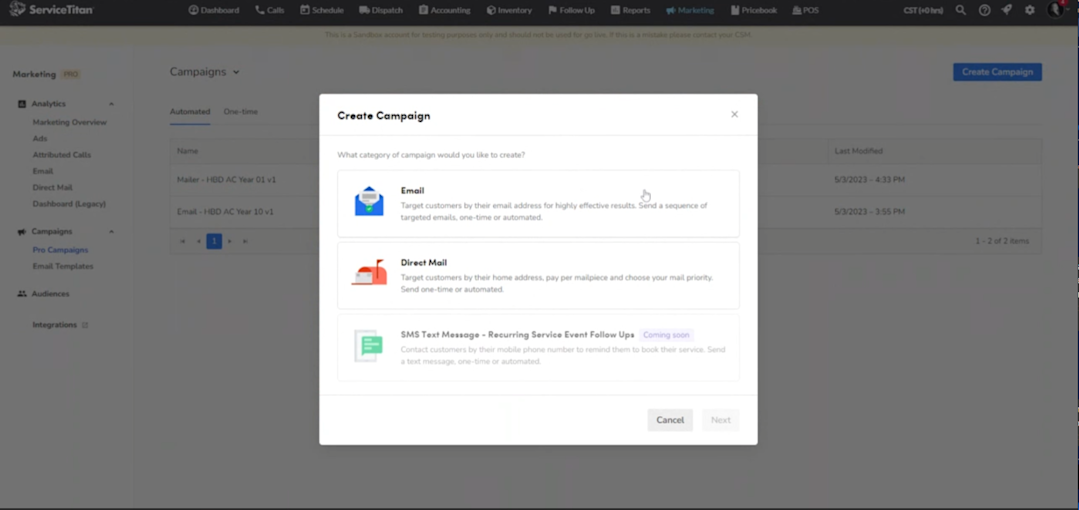
Click “email,” then “next.” The next screen asks, “What type of category does this campaign fall under?”

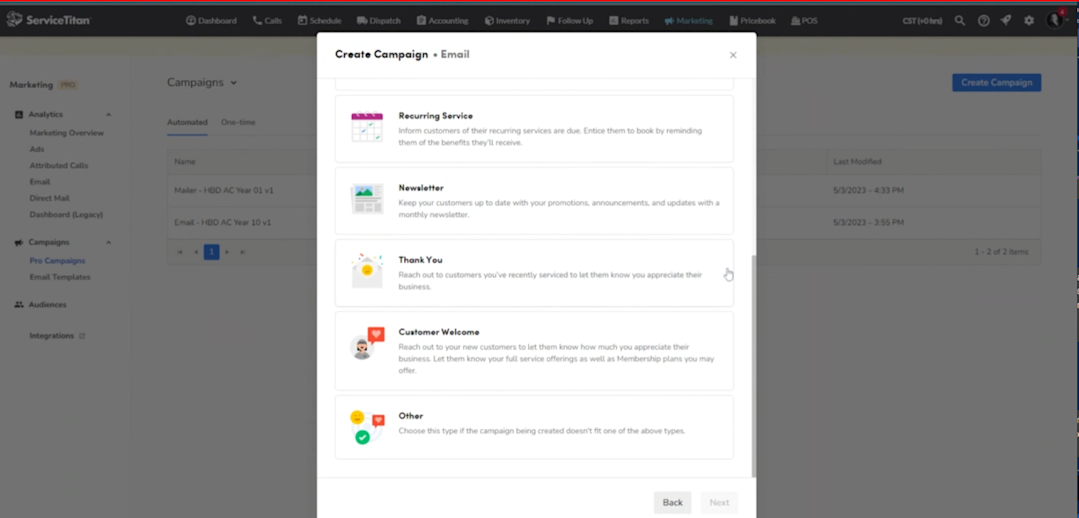
“This is not arbitrary,” Duffy emphasizes. “This is something you really do want to think about because each one of these categories is basically a newsletter subscription that your customers can subscribe or unsubscribe to.”
If you choose to send an “unsold estimates” campaign, for example, and a customer clicks the unsubscribe link at the bottom for whatever reason, they will stop receiving any emails you ever try to send in this category.
For this email campaign, we just want to say “Happy Birthday! It’s been a year since we installed your new equipment.” The purpose of this ad campaign might be an equipment service check-in, a reminder for service, or just a simple thank you.
For Duffy’s campaign, she chose the category of “Other,” then named it so it’s easily recognizable when it pops up in the CSR’s little green call bubble or in any data reporting.

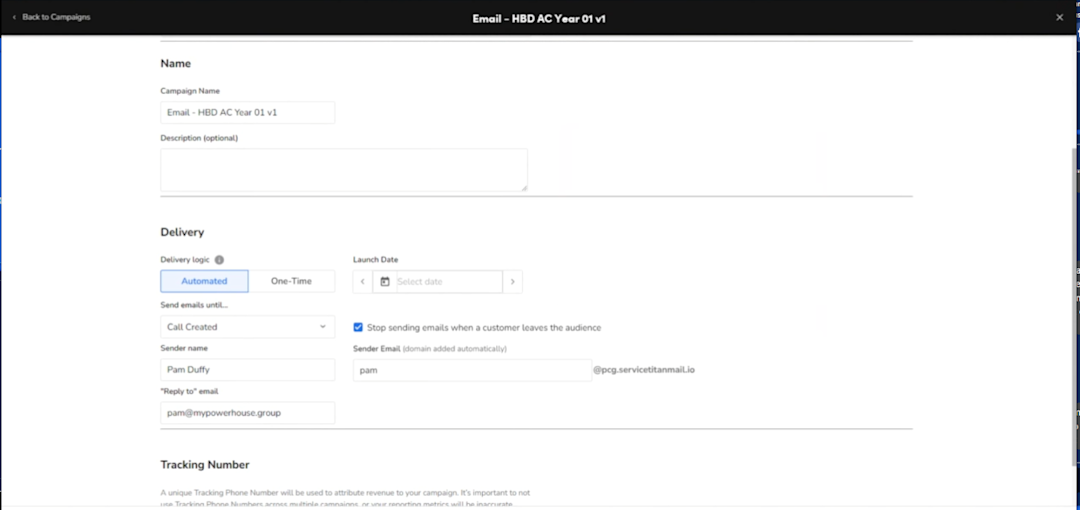
“I find that having a really good nomenclature for how you name your campaigns is really important to making sure that you can quickly see your data, organize it, and make it look clean,” Duffy says.
Here, she used “Email - HBD AC Year 01 v1” (email campaign, Happy Birthday to AC on Year 1, and version one).
On the campaign view page, pay special attention to the delivery section. ServiceTitan automatically defaults to a delivery logic of automated campaigns, which often trips people up.
“People think they're setting up a one-time campaign, but they’re actually setting up an automated campaign because they didn't switch this over,” Duffy says. “Now, in the case of a happy birthday, I do want this to go out every single day because those birthdays change. So this is an automated campaign.”
Then, you can set the campaign to launch tomorrow and choose which option you want to use under the delivery category of “Send emails until” — call created, job booked, email opened, or no trigger.

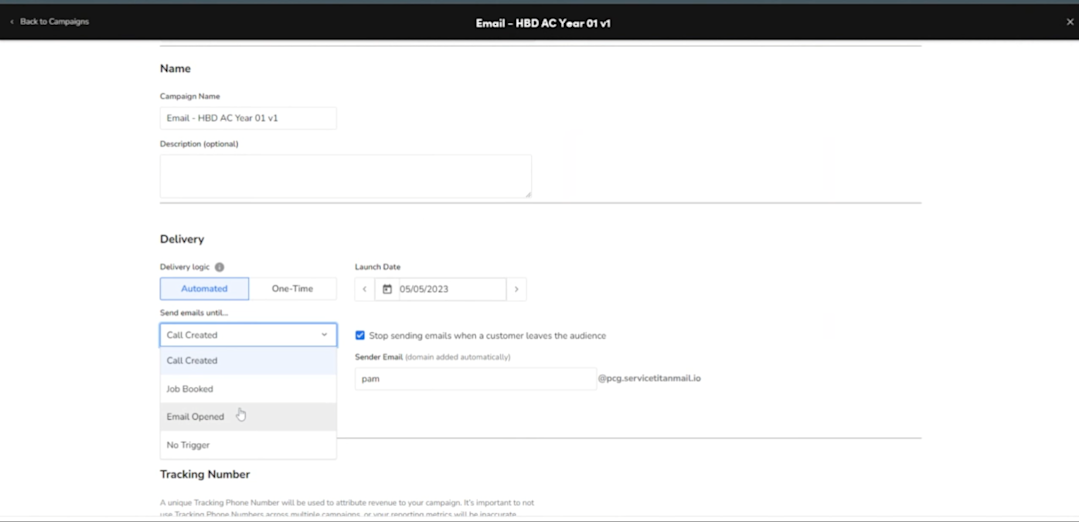
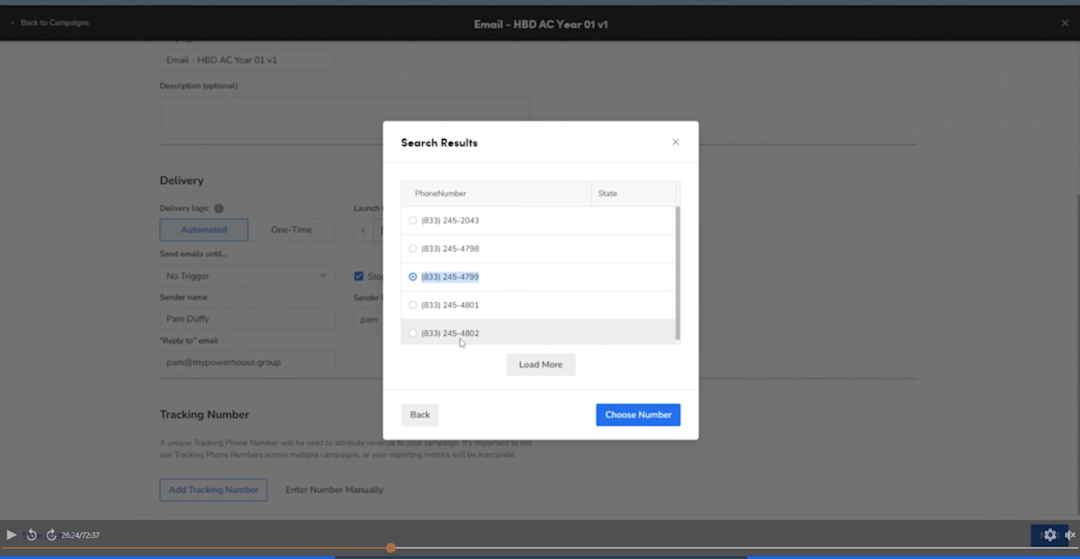
Add the sender’s name, then a tracking number for this specific campaign. You can choose your own area code to find a good tracking number to use, or pick a toll-free number from a drop-down menu.

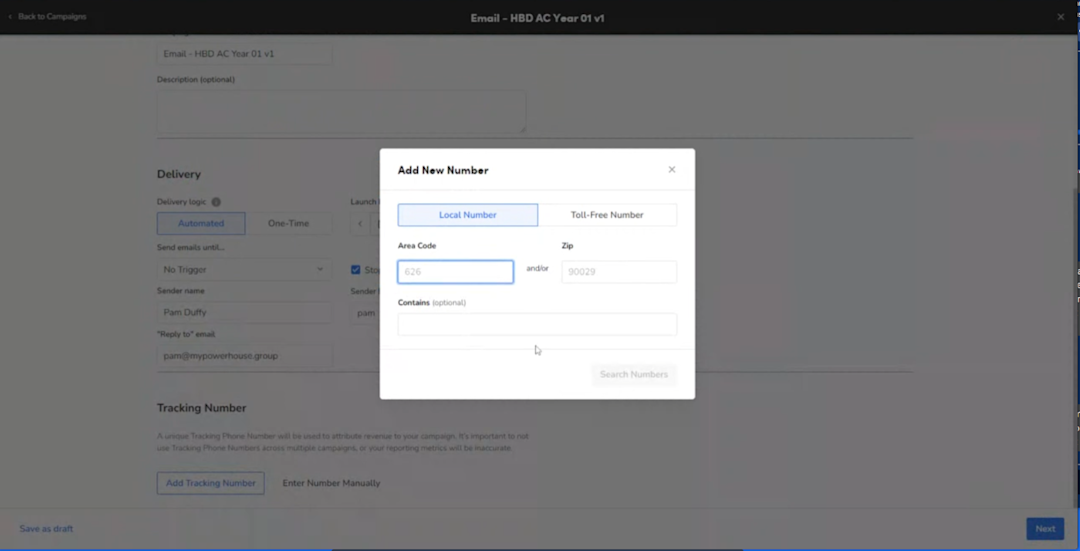
From there, you can choose whether to allow SMS text messaging through that tracking number and whether the default call type for this campaign should be classified as a lead.

Unlocking the power of the Audience Builder

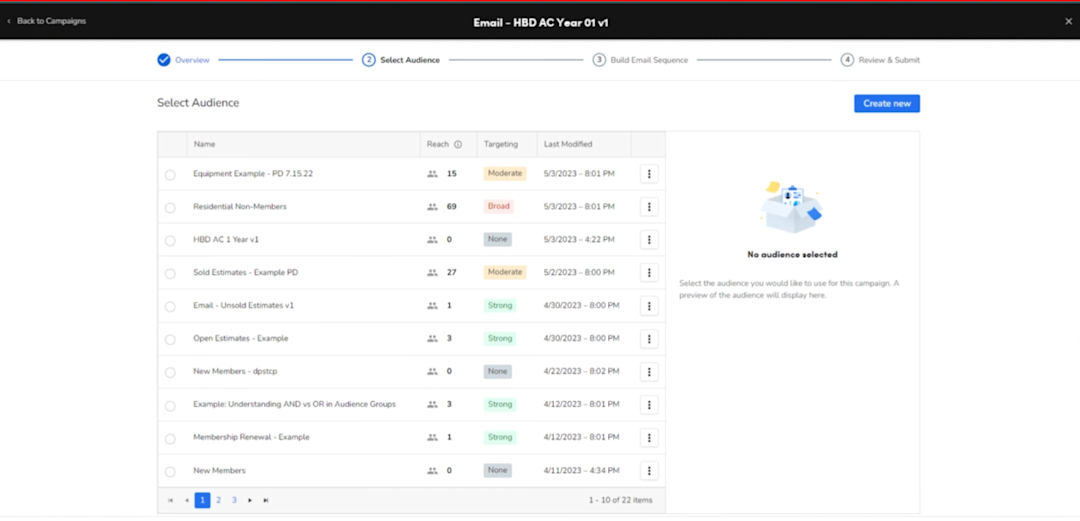
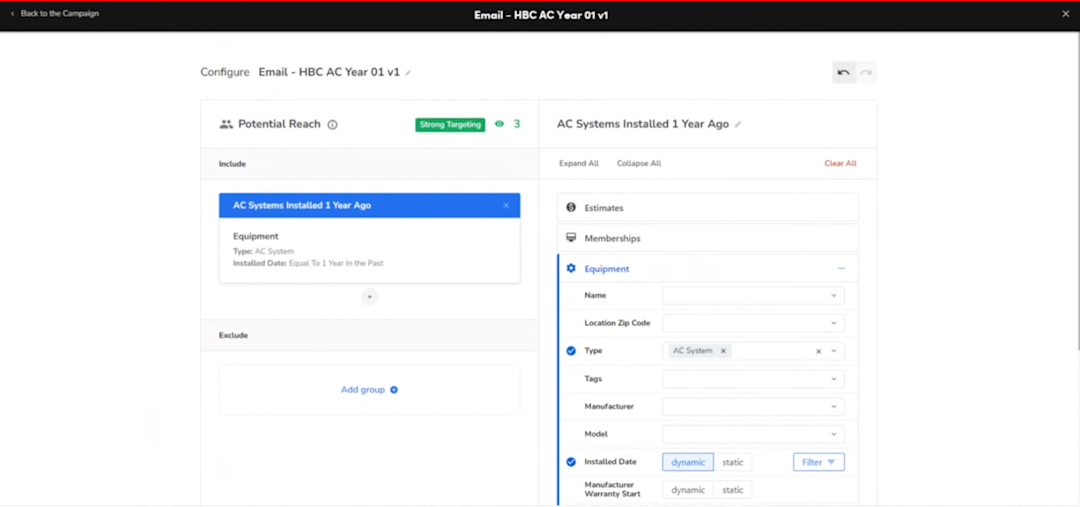
Click “create new audience” and name it the same as your email campaign. You can then choose which category to use as well as which groups to include and which ones to exclude from your email marketing campaign.

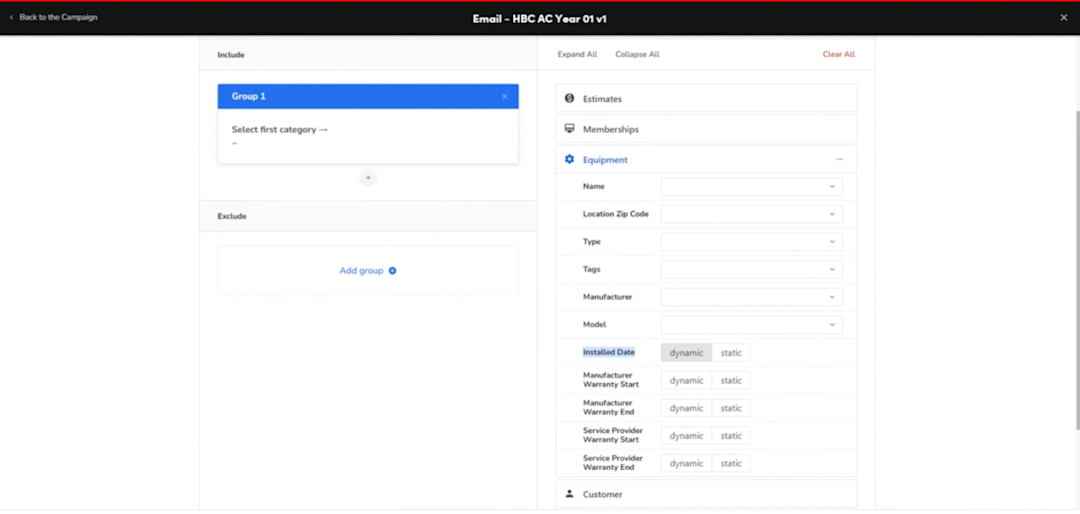
Here, we chose “equipment,” an AC system as the “equipment type,” an install date “equal to one year in the past,” and the “dynamic” button. Duffy says you should always choose dynamic for automated campaigns.
“We want everything to be dynamic so that it's going out daily and it's going out to the correct audience daily,” she explains.
Once you apply those criteria, Marketing Pro filters your audience for potential reach. If you find customers who shouldn’t be in your inclusion group, then you’ve made an error in audience building or something’s not quite right with that customer’s ServiceTitan data.

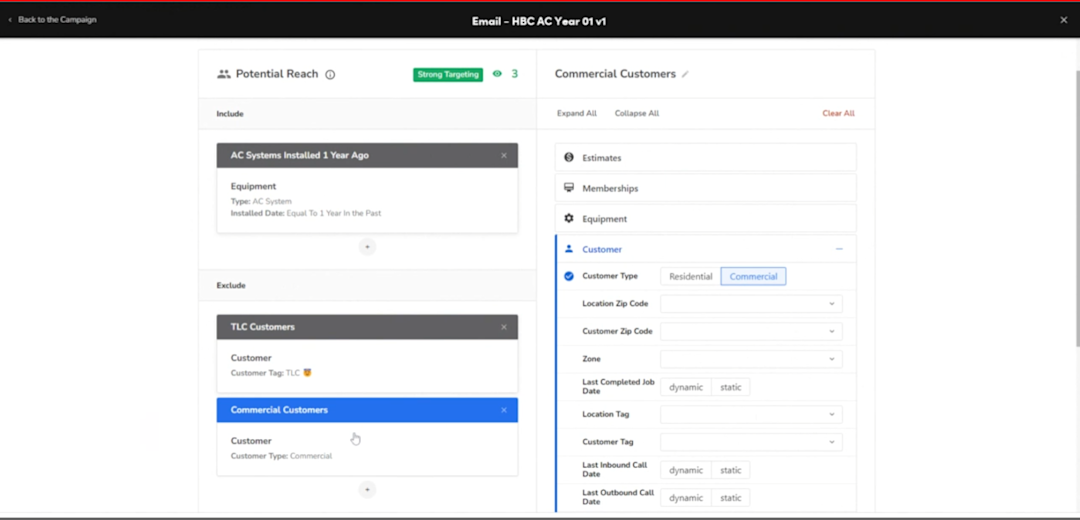
For the email campaign exclusion group, be sure to think through who these customers might be. Duffy suggests you might have a “TLC” category for customers you no longer want to work with or who demand extra attention. Or maybe your offer is for residential customers, so you’d want to exclude commercial clients or renters. Or the customer already has an installation date scheduled, so wishing them happy birthday no longer applies. The options are endless.

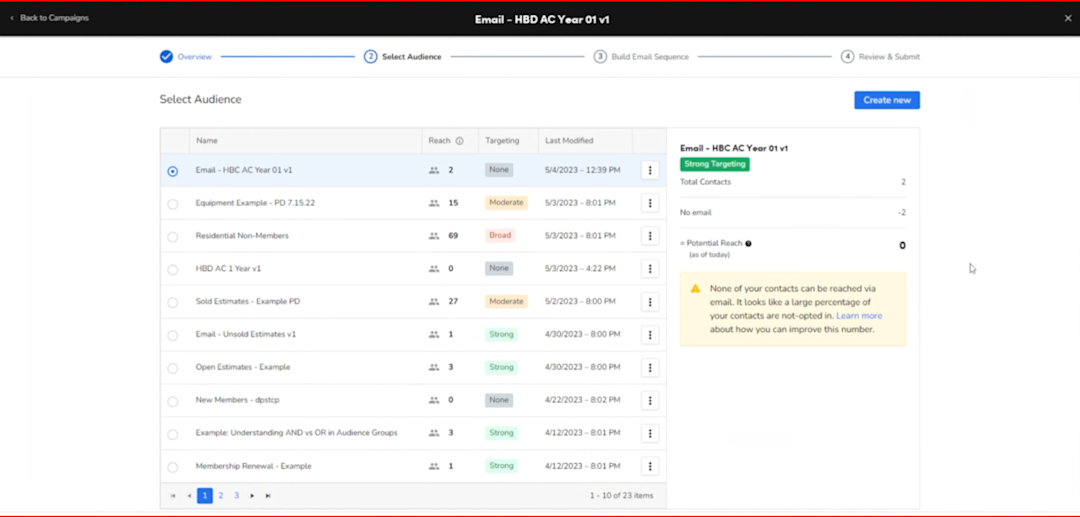
Now, you have your audience. And we know this campaign is more likely to succeed if we send it to even more customers. You can set up Marketing Pro to send the exact same email every year for the next five years, but be sure to check the “potential reach” on your side panel for customers who’ve opted out of receiving your emails.

Then comes the fun part: Building the content. ServiceTitan’s Marketing Pro offers a variety of creative ad campaign templates that you can search for by name. Click the blue + button to add content, and ServiceTitan will automatically filter the templates based on the category of your campaign type. If you want to see all templates, unclick this box.

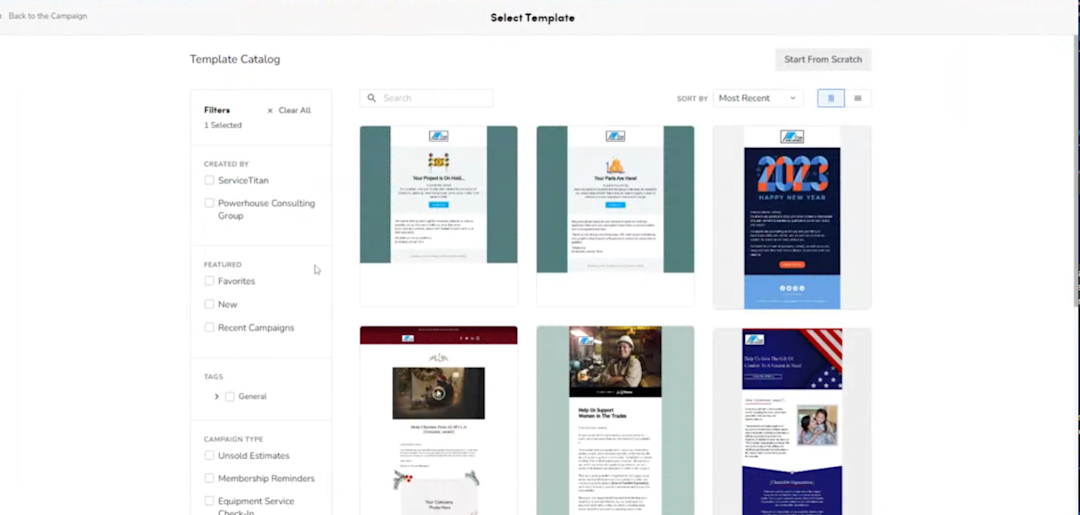
For this campaign, we searched “birthday,” and chose the following template:

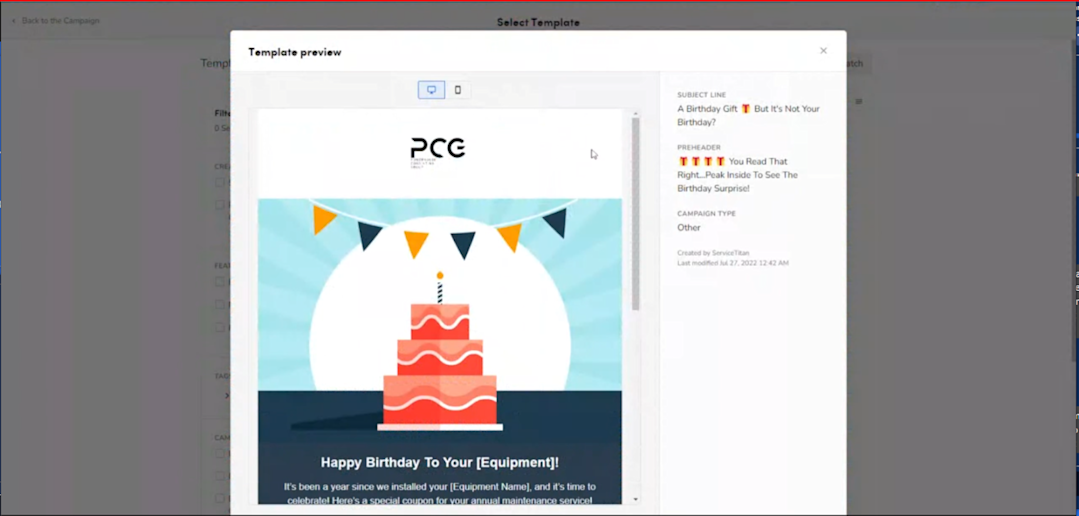
>>Want to download and utilize this “Happy Birthday Equipment” Template for your next campaign?
Once you select the template, you can start cleaning it up and branding it for your company. Here, you can add “merge tags” to add each customer by name, and ServiceTitan automatically fills in that information with the customer’s data. Anything visible in placeholder brackets needs to be updated, and you’ll also need to add your campaign’s tracking phone number.
Update your own social media links and add your own unsubscribe message at the end. It’s also simple to add your own brand colors or images to the ad, or click undo buttons if you make a mistake.
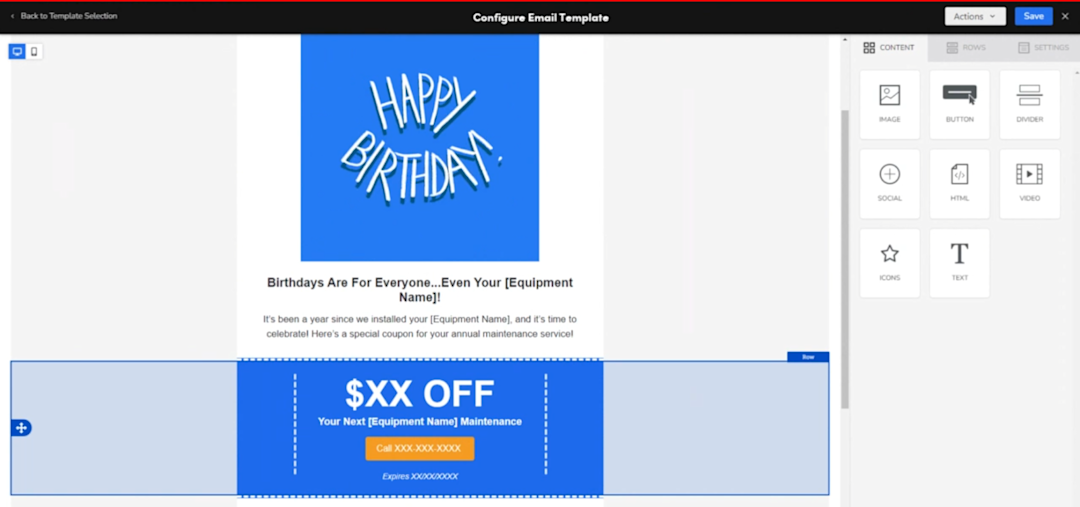
“This is a quick start on getting a campaign launched,” Duffy says. “And a wise person once told me, ‘Just go ahead and launch stuff and see what happens.’ Don't worry about things going completely awry, it happens all the time. Just take the leap of faith and hit that schedule button.”

ServiceTitan Software
ServiceTitan is a comprehensive software solution built specifically to help service companies streamline their operations, boost revenue, and substantially elevate the trajectory of their business. Our comprehensive, cloud-based platform is used by thousands of electrical, HVAC, plumbing, garage door, and chimney sweep shops across the country—and has increased their revenue by an average of 25% in just their first year with us.